How to Choose a Dive Computer: Beginner to Advanced
By DivePlnr Editorial Team | Published April 2026 | Updated April 2026
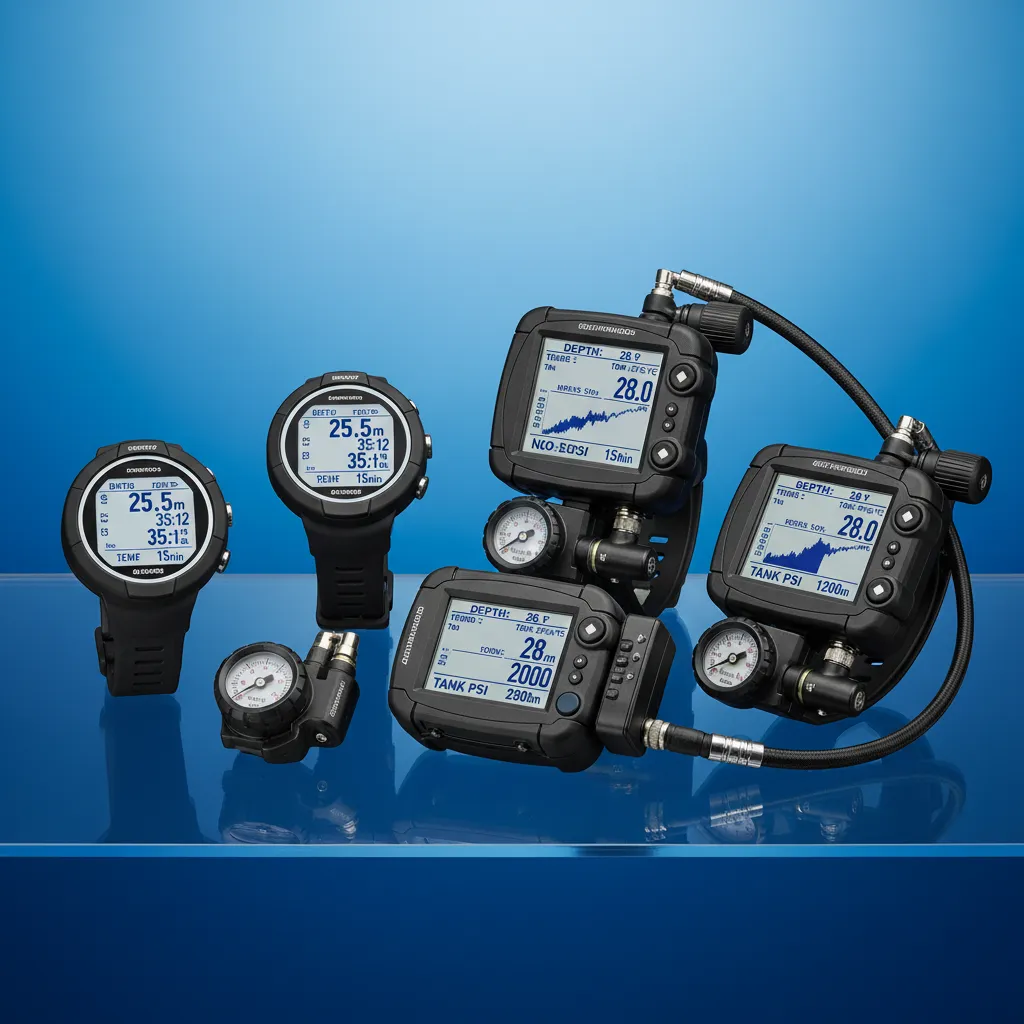
A dive computer is arguably the most important piece of equipment a diver can own. It continuously tracks your depth, time, and ascent rate, calculating real-time nitrogen loading across multiple tissue compartments to tell you exactly how long you can stay at your current depth - and when you need to ascend. Before dive computers, divers relied on pre-calculated tables that assumed a square profile (maximum depth for the entire dive), which was extremely conservative and bore little resemblance to how divers actually move through the water column. A computer tracks your actual multi-level profile, often giving you significantly more bottom time while simultaneously providing a greater safety margin than tables. The dive computer market ranges from simple, reliable units under $200 to full-featured technical computers with air integration, multiple gas capability, and colour OLED screens costing over $1,500. The right choice depends on your diving style, experience level, budget, and growth plans. This guide breaks down the key factors so you can make an informed decision rather than buying based on marketing hype or a dive shop recommendation driven by margin.
Form Factors
Wrist-Mount
Wrist-mounted computers are the most popular format and the clear trend in the industry. Modern wrist units range from watch-sized models you can wear daily to larger-display units designed purely for diving. Advantages: always visible without moving your hands, can be worn as a backup, easy to read at a glance. The watch-style models (Garmin Descent, Suunto D5, Shearwater Tern) double as daily smartwatches with fitness tracking, adding value beyond diving. Larger wrist units (Shearwater Peregrine, Suunto EON Core) offer bigger screens and better readability but are diving-only tools.
Console-Mount
Console computers connect inline with your SPG (submersible pressure gauge) hose. They were the original dive computer format and are still popular in rental fleets. Advantage: built-in pressure gauge integration. Disadvantage: you must look down to read them, they dangle when not held, and they add weight and bulk to your rig. Console computers are increasingly niche as wireless air integration has become reliable and affordable.
Decompression Algorithms
The algorithm is the mathematical model your computer uses to calculate nitrogen loading and no-decompression limits. The two dominant algorithms are:
Bühlmann ZHL-16C
Developed by Swiss physician Albert Bühlmann, this algorithm models 16 tissue compartments with different half-times. It is deterministic, well-understood, and the basis for most dive computers on the market. Bühlmann is considered moderate in conservatism and produces predictable, reproducible results. Shearwater computers use Bühlmann with optional gradient factors (GF) that allow fine-tuned conservatism control - the gold standard for technical diving.
RGBM (Reduced Gradient Bubble Model)
Used by Suunto and some Mares computers, RGBM adds bubble-mechanics considerations to traditional dissolved-gas modelling. It tends to be more conservative on repetitive dives, multi-day diving, and reverse profiles (deeper dive after a shallower dive). Some divers find RGBM overly conservative on day 3-4 of a dive trip; others appreciate the extra safety margin. RGBM is a "black box" - users cannot adjust its internal parameters the way Bühlmann GF users can.
Conservatism Settings
Most computers offer conservatism adjustments. At minimum, this is a simple low/medium/high setting. Advanced computers offer gradient factor settings (e.g., GF 30/70) that control how close to the algorithm's theoretical maximum you can dive. A more conservative setting gives you less bottom time but a larger safety margin. New divers should start with medium-high conservatism and adjust based on experience, personal risk factors, and dive profiles.
Key Features to Evaluate
Air Integration
Wireless air integration uses a transmitter screwed into your first stage HP port to send tank pressure data to your computer. Your computer then displays remaining air, calculates air time remaining (ATR) based on your current consumption rate, and can factor gas supply into decompression calculations. This is a genuine safety upgrade - you are far more likely to monitor a large, always-visible air reading on your wrist than a gauge tucked under your arm. Transmitters add $200-400 to the cost.
Nitrox and Multi-Gas
Every modern dive computer supports at least nitrox with adjustable O2 percentage (21-40% for recreational). Technical computers support multiple gas mixes (up to 5 on Shearwater models), allowing you to programme bottom gas, travel gas, and decompression gases. Even recreational divers should ensure their computer handles nitrox - enriched air is available almost everywhere and its benefits are well-established.
Display
Display technology matters more than most buyers realise. At 30 metres in low visibility, a dim or cluttered screen becomes a safety issue. Full-colour OLED or AMOLED displays (Shearwater, Garmin Descent Mk3) offer excellent contrast and readability. Large, segmented LCD displays (Suunto Zoop, Mares Puck) are highly readable in bright conditions but lack colour coding. Consider screen size relative to your eyesight - presbyopia (age-related far-sightedness) affects many divers over 40, and a larger display becomes important.
Compass
A tilt-compensated digital compass is useful for underwater navigation and is built into most mid-range and above computers. Budget models typically lack a compass. If your computer lacks one, carry a separate analogue compass on your console or wrist.
Recommendations by Experience Level
Beginner ($200-400)
Look for: simple operation, clear display, nitrox capability, audible and visual alarms, rechargeable battery. Strong options in this range deliver everything a new diver needs without overwhelming complexity. Focus on reliability and readability over features.
Intermediate ($400-800)
Add: air integration, digital compass, colour display, Bluetooth/app connectivity for logging, watch-style daily wear. This range covers the sweet spot for most recreational divers who dive 20-50 times per year and want a computer that grows with them.
Advanced/Technical ($800-1,500+)
Require: multi-gas support (3-5 mixes), gradient factor control, large bright display, user-replaceable battery, robust build quality. Shearwater dominates this segment for good reason - their computers are the de facto standard for technical diving worldwide. The Shearwater Perdix 2 and Petrel 3 are industry benchmarks.
Key Takeaways
- 1A dive computer tracks your actual multi-level profile in real-time - significantly safer and more generous than dive tables
- 2Bühlmann ZHL-16C with gradient factors is the most transparent and adjustable algorithm; RGBM is more conservative on repetitive dives but less user-configurable
- 3Wireless air integration is a genuine safety upgrade - monitoring tank pressure on your wrist increases awareness significantly
- 4New divers need: clear display, nitrox support, audible alarms, and simplicity - budget $200-400 for a solid beginner computer
- 5Technical divers should invest in multi-gas capable computers with gradient factor control - Shearwater is the industry benchmark
- 6Consider display readability as a primary factor - at depth in low visibility, you need to read your computer instantly
Frequently Asked Questions
Do I really need my own dive computer?
Yes. A personal dive computer is the single best safety investment you can make after certification. Rental computers reset between users - they do not track your nitrogen loading from previous days of diving. Your own computer maintains a continuous record across all your dives on a trip, providing accurate residual nitrogen calculations for repetitive dives.
Can I use a dive computer as a watch?
Many modern wrist computers double as daily smartwatches - the Garmin Descent series, Suunto D5, and Shearwater Tern all offer step tracking, heart rate monitoring, notifications, and more. If you want dual-purpose functionality, watch-style computers offer excellent value.
What happens if my dive computer fails underwater?
This is why many experienced divers carry a backup computer. If your only computer fails mid-dive, you must make a slow, conservative ascent and end the dive. You should not continue diving that day, as you have no way to track your nitrogen loading. Consider an inexpensive secondary computer as insurance.
Should I get the same computer as my buddy?
It is not necessary, but diving with different algorithms or conservatism settings means your computers may give different no-deco limits. Always follow the more conservative computer. Matching brands or algorithms can simplify dive planning, but it is more important that each diver understands their own computer thoroughly.